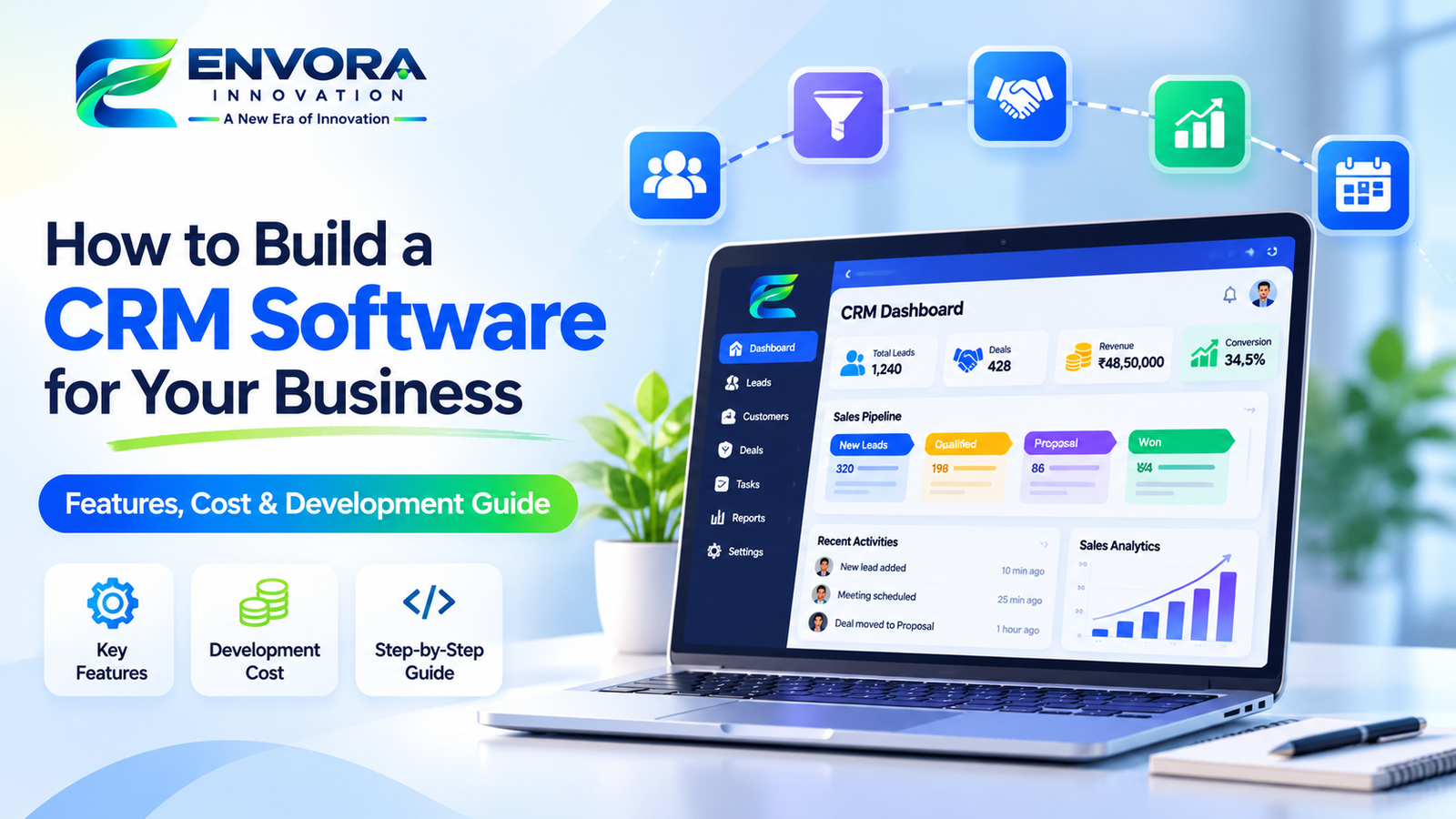
How to Build a CRM Software for Your Business: Features, Cost & Development Guide
Customer relationships are one of the most valuable assets of any business. Whether you run a startup, small business, growing company, or enterprise, managing customer information, sales activities, follow-ups, and communication efficiently is essential for sustainable growth.
A Customer Relationship Management (CRM) system helps businesses organize customer data, manage sales pipelines, automate repetitive tasks, and improve customer experiences.
But what if your business needs more than a standard CRM platform?
Building custom CRM software allows you to create a solution specifically designed around your business processes, workflows, and operational requirements.
In this guide, we will explain how to build CRM software for your business, essential CRM features, development costs in India, technology options, and important considerations before starting your CRM development project.
What Is CRM Software?
CRM stands for Customer Relationship Management. It is a software solution designed to help businesses manage customer relationships, sales activities, communication, and customer information from a centralized platform.
A CRM system allows businesses to:
- Store and manage customer information.
- Track leads and sales opportunities.
- Manage customer communication.
- Schedule follow-ups and reminders.
- Monitor sales performance.
- Generate business reports.
- Automate repetitive business tasks.
Instead of maintaining customer records in spreadsheets or multiple applications, businesses can manage everything through a centralized CRM platform.
Why Does Your Business Need CRM Software?
As a business grows, managing customer information manually becomes increasingly difficult.
Without an organized CRM system, businesses may experience missed follow-ups, duplicate customer records, inconsistent communication, and limited visibility into sales performance.
CRM software helps solve these challenges by providing a structured system for managing customer relationships.
Key Benefits of CRM Software
1. Centralized Customer Management
Store customer profiles, contact details, communication history, and important business information in one place.
2. Better Lead Management
Track leads from their initial inquiry through qualification, follow-up, and conversion.
3. Improved Sales Productivity
Sales teams can prioritize opportunities, manage activities, and track their progress more effectively.
4. Automated Follow-Ups
Schedule reminders, assign tasks, and automate selected communication workflows.
5. Better Business Decisions
Use dashboards and reports to understand sales performance, lead conversion, and customer activity.
6. Improved Customer Experience
Access customer history and relevant information to provide more consistent and personalized service.
Essential Features of CRM Software
When building CRM software, selecting the right features is one of the most important decisions.
The following modules form the foundation of a business CRM system.
1. Lead Management
Lead management allows businesses to capture, organize, assign, and track potential customers.
Important features include:
- Lead creation and editing.
- Lead source tracking.
- Lead assignment to sales representatives.
- Lead status management.
- Lead qualification.
- Lead conversion into customers.
- Lead import and export.
2. Contact and Customer Management
This module stores detailed information about customers and business contacts.
Features include:
- Customer profiles.
- Contact information.
- Company details.
- Customer communication history.
- Customer categorization.
- Notes and attachments.
- Customer activity tracking.
3. Sales Pipeline Management
A sales pipeline provides visibility into the progress of business opportunities.
Typical sales stages include:
- New Opportunity
- Contacted
- Qualified
- Proposal Sent
- Negotiation
- Won
- Lost
Businesses can customize pipeline stages according to their sales process.
4. Task and Follow-Up Management
Sales representatives need an organized way to manage daily activities.
CRM software should support:
- Follow-up reminders.
- Task assignment.
- Meeting scheduling.
- Activity tracking.
- Due dates and priorities.
- Task completion status.
5. Dashboard and Analytics
A CRM dashboard provides an overview of important business metrics.
Common dashboard information includes:
- Total leads.
- Active opportunities.
- Converted customers.
- Sales revenue.
- Pending follow-ups.
- Sales representative performance.
- Lead conversion rates.
6. Role-Based Access Control
Businesses require different access permissions for different employees.
A CRM system can include roles such as:
- Super Admin
- Admin
- Sales Manager
- Sales Executive
- Support Executive
Each role should have appropriate permissions to access customer records, reports, settings, and other modules.
7. Reports and Export
Reporting functionality helps management evaluate business performance.
Useful reports include:
- Lead source reports.
- Sales pipeline reports.
- Conversion reports.
- Customer reports.
- Employee performance reports.
- Monthly sales reports.
Reports can support PDF, Excel, or CSV exports depending on business requirements.
8. Notifications and Automation
CRM automation reduces repetitive manual activities.
Examples include:
- New lead assignment notifications.
- Follow-up reminders.
- Task deadline notifications.
- Lead status change alerts.
- Automated workflow triggers.
- Email notifications.
Advanced CRM platforms may also integrate AI-powered features for customer insights, lead prioritization, and workflow assistance.
How to Build CRM Software for Your Business
Developing a CRM system requires a clear understanding of business requirements, user workflows, and technical architecture.
Here is a practical CRM development process.
Step 1: Define Business Requirements
Before development begins, identify the problems your CRM should solve.
Understand:
- How your business currently manages customers.
- How leads are generated.
- How sales teams handle follow-ups.
- Which reports management requires.
- Which activities should be automated.
- What integrations are necessary.
A detailed requirement document helps prevent unnecessary features and development costs.
Step 2: Plan CRM Modules
Create a module structure based on your business operations.
For example:
| Module | Purpose |
|---|---|
| Dashboard | Business overview and analytics |
| Leads | Lead capture and qualification |
| Customers | Customer information management |
| Sales Pipeline | Opportunity tracking |
| Tasks | Activities and follow-ups |
| Reports | Business performance analysis |
| Users & Roles | Access and permissions |
| Settings | CRM configuration |
Start with essential modules and add advanced functionality as your business grows.
Step 3: Design the User Interface
A CRM should be easy to use because employees interact with it regularly.
Important UI considerations include:
- Simple navigation.
- Responsive layouts.
- Searchable customer lists.
- Clear sales pipeline views.
- Easy lead creation.
- Accessible dashboards.
- Consistent user experience.
A well-designed CRM improves employee adoption and productivity.
Step 4: Select the Technology Stack
The technology stack depends on project requirements, scalability, integrations, and development expertise.
A custom CRM can be developed using:
- Backend: Laravel, Node.js, or Django.
- Frontend: React.js, Vue.js, or Blade.
- Database: MySQL or PostgreSQL.
- APIs: REST APIs.
- Authentication: Secure authentication and role-based permissions.
- Infrastructure: Cloud hosting or suitable managed infrastructure.
For businesses requiring a maintainable web-based CRM with APIs and structured business workflows, Laravel with MySQL and React.js can be a practical technology combination.
Step 5: Develop the CRM Backend
Backend development includes:
- Database architecture.
- Customer and lead management APIs.
- Authentication.
- Authorization.
- Business logic.
- Validation.
- Workflow management.
- Reporting.
- Notification systems.
- Integration endpoints.
The backend should be designed to support reliable data management and future expansion.
Step 6: Develop CRM Frontend
Frontend development connects the user interface with backend services.
This includes:
- Dashboard screens.
- Customer management pages.
- Lead management forms.
- Sales pipeline views.
- Task management interfaces.
- Reports.
- User management.
The frontend should provide a smooth experience across desktop, tablet, and mobile devices.
Step 7: Testing and Deployment
Before launching the CRM, perform:
- Functional testing.
- API testing.
- Permission testing.
- Security testing.
- Performance testing.
- User acceptance testing.
After successful testing, deploy the CRM to an appropriate production environment and configure backups, monitoring, and maintenance processes.
How Much Does CRM Software Development Cost in India?
CRM development cost depends on the complexity of the software, number of modules, integrations, user roles, design requirements, and development approach.
The following figures are illustrative planning estimates, not fixed market prices or quotations.
| CRM Type | Estimated Development Cost |
|---|---|
| Basic CRM | ₹1.5 lakh – ₹4 lakh |
| Standard Business CRM | ₹4 lakh – ₹10 lakh |
| Advanced Custom CRM | ₹10 lakh – ₹25 lakh |
| Enterprise CRM | ₹25 lakh+ |
Factors That Affect CRM Development Cost
1. Number of Modules
A CRM with lead management and customer records requires less development than a system with sales automation, analytics, customer support, and advanced workflows.
2. Customization Requirements
Highly customized workflows and business-specific functionality increase development effort.
3. Third-Party Integrations
Integrations with email services, payment systems, telephony, WhatsApp Business APIs, and external business applications can increase project complexity.
4. UI/UX Design
Custom dashboards, advanced pipeline interfaces, and mobile-responsive layouts require additional design and development work.
5. Hosting and Maintenance
Cloud infrastructure, database backups, security updates, monitoring, and ongoing support contribute to the overall cost of ownership.
Custom CRM Software vs Ready-Made CRM
Businesses can either use an existing CRM platform or build custom CRM software.
| Feature | Ready-Made CRM | Custom CRM |
|---|---|---|
| Initial Setup | Usually Faster | Requires Development |
| Custom Workflows | Limited by Platform | Designed Around Business |
| Features | Predefined | Business-Specific |
| Integrations | Available Options | Custom Integrations |
| Pricing | Subscription-Based or Tiered | Project + Maintenance |
| Ownership | Platform-Dependent | Greater Control Over Application |
| Scalability | Depends on Platform | Designed for Business Needs |
A ready-made CRM may be suitable for businesses with standard requirements.
Custom CRM development can be beneficial when existing platforms do not support your workflows, integrations, reporting requirements, or operational processes effectively.
CRM Software for Different Industries
CRM software can be customized for different business environments.
CRM for Real Estate
- Property inquiries.
- Lead assignment.
- Site visit scheduling.
- Customer follow-ups.
- Sales pipeline tracking.
- Property booking management.
CRM for IT Companies
- Client management.
- Project inquiries.
- Sales opportunities.
- Proposal tracking.
- Contract management.
- Client communication.
CRM for Educational Institutions
- Admission inquiries.
- Student lead management.
- Counseling follow-ups.
- Admission conversion tracking.
- Communication management.
CRM for Service Businesses
- Service inquiries.
- Customer profiles.
- Appointment scheduling.
- Service requests.
- Follow-up reminders.
- Customer feedback.
Common Mistakes to Avoid When Building CRM Software
Building CRM software without proper planning can create unnecessary complexity.
Avoid these common mistakes:
- Adding too many features in the initial version.
- Ignoring employee usability.
- Not defining user permissions.
- Using an unstructured database design.
- Ignoring data security.
- Failing to plan integrations.
- Not testing business workflows.
- Overlooking backups and maintenance.
- Developing without clear business requirements.
A phased development approach helps businesses launch faster and improve their CRM based on actual user feedback.
Future of CRM Software: AI and Automation
Modern CRM platforms are increasingly incorporating artificial intelligence and automation.
Potential AI-powered CRM capabilities include:
- Automated lead scoring.
- Customer interaction summaries.
- AI-assisted email drafting.
- Sales forecasting.
- Customer behavior analysis.
- Smart follow-up recommendations.
- Automated data entry assistance.
These capabilities can help businesses reduce manual work and make customer management more efficient.
AI features should be implemented based on business needs, data quality, privacy considerations, and measurable benefits.
Why Choose Envora Innovations for CRM Development?
Envora Innovations helps businesses transform their operational requirements into practical digital solutions.
Our software development approach focuses on understanding business processes, designing appropriate solutions, and developing applications that support long-term business growth.
We can help businesses with:
- Custom CRM software development.
- Business web application development.
- Laravel application development.
- REST API development.
- CRM dashboard development.
- Workflow automation.
- Database design.
- Third-party integrations.
- Software maintenance and support.
Whether you need a basic customer management system or a customized CRM platform, the development process should begin with understanding your business requirements.
Explore our Software Development Services to learn more about our development capabilities.
Frequently Asked Questions (FAQs)
1. How much does it cost to build CRM software in India?
CRM development in India may cost approximately ₹1.5 lakh to ₹25 lakh or more, depending on the number of features, customization, integrations, and project complexity.
2. How long does it take to develop custom CRM software?
A basic CRM may take approximately 4–8 weeks, while a standard or advanced CRM may require several months. Enterprise CRM projects can take significantly longer.
3. Can CRM software be customized for my business?
Yes. Custom CRM software can be designed around your business workflows, customer management processes, sales operations, and reporting requirements.
4. Which technology is best for CRM development?
Laravel, Node.js, Django, React.js, and MySQL are commonly suitable technologies for building custom CRM applications. The best combination depends on project requirements.
5. Can CRM software integrate with WhatsApp and email?
Yes. CRM software can integrate with supported email services and WhatsApp Business APIs to facilitate customer communication and workflow automation.
6. Is custom CRM software suitable for small businesses?
Yes. Small businesses can start with essential CRM features and expand functionality as their operations grow.
7. Can CRM software be developed as a SaaS product?
Yes. CRM software can be designed as a multi-tenant SaaS platform where multiple businesses use the application with logically separated data, subscription plans, and configurable features.
Conclusion
CRM software helps businesses improve customer relationships, organize sales activities, automate follow-ups, and gain better visibility into business performance.
Building custom CRM software is an opportunity to create a system that aligns with your business processes instead of adapting your operations to a predefined platform.
The right CRM development strategy starts with clear requirements, essential features, appropriate technology, and a scalable architecture.
If your business is planning to develop a custom CRM solution, choosing an experienced software development partner can help turn your requirements into a practical digital product.
Ready to Build Your Custom CRM Software?
Connect with Envora Innovations to discuss your CRM requirements and explore a development approach that fits your business.
Website: https://envorainnovation.in/