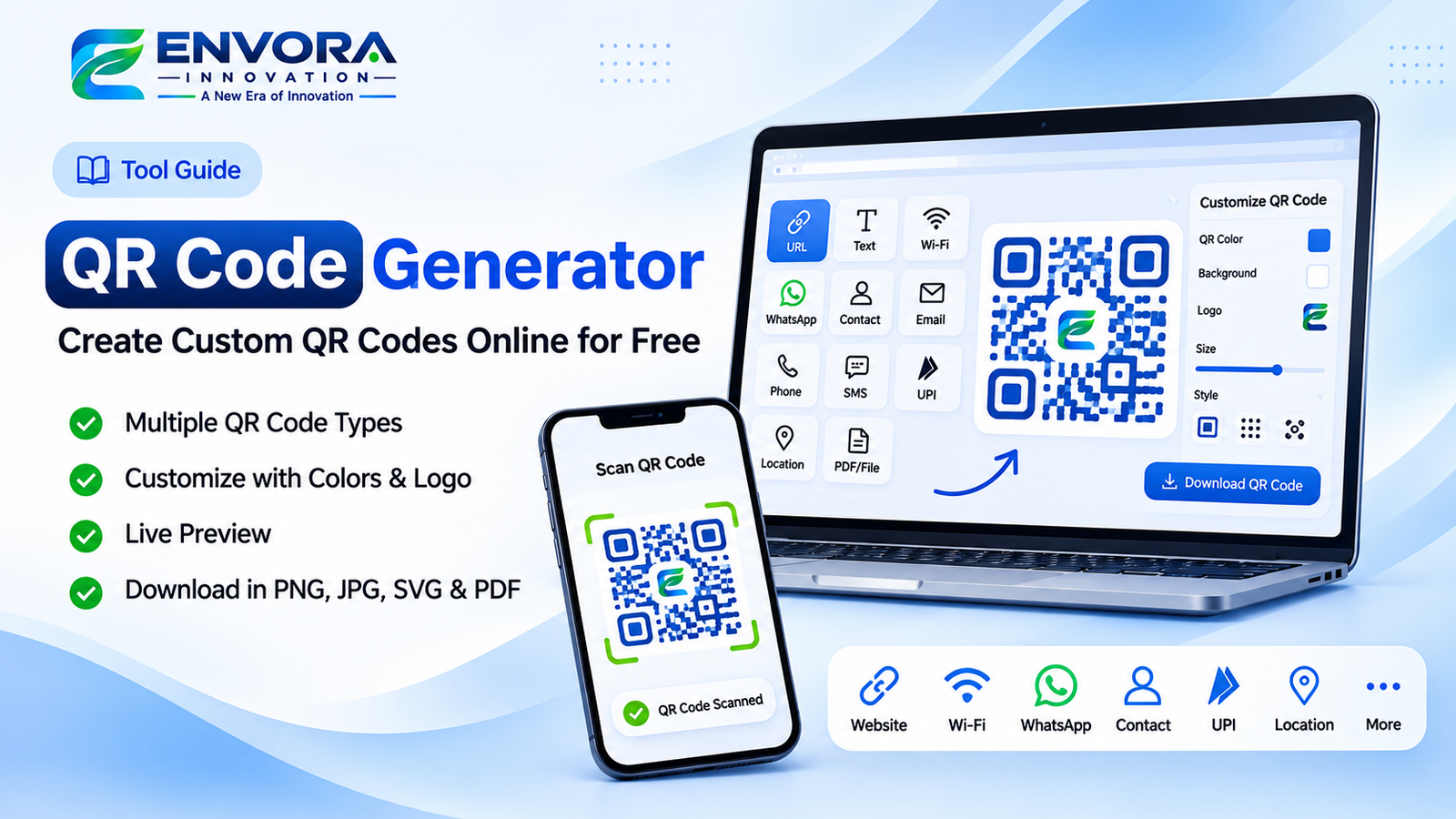
QR Code Generator: Create Custom QR Codes Online for Free
QR codes have become an essential part of modern digital communication. From sharing website links and business information to connecting Wi-Fi networks and receiving payments, QR codes make sharing information faster, easier, and more convenient.
With an online QR Code Generator, users can create customized QR codes for different purposes without installing any software or requiring technical knowledge.
Whether you are a business owner, student, freelancer, marketer, or an individual, an online QR Code Generator helps you convert information into a scannable QR code within seconds.
What Is a QR Code Generator?
A QR Code Generator is an online tool that converts different types of information into a Quick Response (QR) code. Users can scan the generated code using a smartphone camera or QR scanner to access the encoded information instantly.
Instead of manually typing a website address, contact number, Wi-Fi password, or payment details, users can simply scan a QR code and access the required information.
Types of QR Codes You Can Generate
A versatile QR Code Generator supports multiple QR code types for different personal, professional, and business requirements.
1. URL QR Code
URL QR codes allow users to convert website links into scannable QR codes.
Users can enter any valid website URL, such as a business website, blog, landing page, portfolio, product page, or online store.
When someone scans the QR code, the website opens directly in their browser.
Use Cases:
- Business website promotion
- Product page sharing
- Blog and article promotion
- Portfolio sharing
- Marketing campaigns
- Website links on brochures and business cards
2. Text QR Code
Text QR codes allow users to convert plain text information into a QR code.
Users can enter messages, instructions, notes, announcements, or any other text information.
When scanned, the encoded text appears directly on the user's device without requiring a website.
Use Cases:
- Sharing instructions
- Product information
- Educational content
- Personal messages
- Event announcements
- Important notes
3. Wi-Fi QR Code
Wi-Fi QR codes make connecting to wireless networks easier.
Users can enter their Wi-Fi network name (SSID), password, and security type. The generator creates a QR code that allows compatible smartphones to connect to the network by scanning it.
Use Cases:
- Home Wi-Fi sharing
- Office network access
- Hotels and restaurants
- Cafes and coworking spaces
- Guest Wi-Fi connections
This eliminates the need to manually enter complicated Wi-Fi passwords.
4. WhatsApp QR Code
WhatsApp QR codes help users share their WhatsApp contact or start a conversation instantly.
Users can enter their WhatsApp number and optionally include a predefined message to generate a QR code that opens a WhatsApp chat.
Use Cases:
- Business customer support
- WhatsApp marketing
- Customer inquiry handling
- Freelance communication
- Sales and service inquiries
- Contact sharing
Customers can scan the QR code and start a conversation without manually saving the contact number.
5. Contact / vCard QR Code
Contact QR codes allow users to convert contact details into a digital business card.
Users can enter information such as:
- Full Name
- Company Name
- Job Title
- Mobile Number
- Email Address
- Website
- Address
The generated QR code can be scanned by compatible smartphones to view or save the contact information.
Use Cases:
- Digital business cards
- Professional networking
- Business meetings
- Sales representatives
- Freelancers
- Company employees
6. Email QR Code
Email QR codes allow users to create QR codes that open an email application with predefined information.
Users can enter an email address, subject, and optional message.
When scanned, the QR code opens the user's default email application with the configured details.
Use Cases:
- Customer support
- Business inquiries
- Feedback collection
- Email communication
- Service requests
7. Phone Number QR Code
Phone QR codes allow users to create a QR code that opens the phone dialer with a predefined telephone number.
Users simply enter their mobile or business phone number and generate the QR code.
Use Cases:
- Business contact sharing
- Customer support numbers
- Sales inquiry numbers
- Emergency contact information
- Printed advertisements
8. SMS QR Code
SMS QR codes help users create predefined text messages.
Users can enter the recipient's phone number and an optional message.
When scanned on a compatible device, the QR code opens the messaging application with the predefined information.
Use Cases:
- Customer feedback
- Service requests
- Event communication
- Business inquiries
- Support messages
9. UPI Payment QR Code
UPI QR codes simplify digital payment communication.
Users can enter their UPI ID, recipient name, and optional payment amount to generate a payment QR code.
Compatible UPI applications can scan the code and display the payment information.
Use Cases:
- Small businesses
- Shops and retail stores
- Freelancers
- Service providers
- Donation collection
- Payment instructions
The payment is completed only after the payer reviews and confirms the transaction in their UPI application.
10. Location / Google Maps QR Code
Location QR codes allow users to share geographical locations through a QR code.
Users can enter a location, address, or supported Google Maps URL to generate a QR code.
When scanned, the location opens in a compatible maps application or browser.
Use Cases:
- Office locations
- Business addresses
- Event venues
- Restaurants
- Hotels
- Wedding venues
- Delivery locations
11. File / PDF URL QR Code
Users can create QR codes for publicly accessible file links, including PDF documents and other online resources.
Instead of printing long URLs, users can generate a QR code that opens the shared file.
Use Cases:
- Product catalogs
- Digital brochures
- Restaurant menus
- Documents
- Educational materials
- Product manuals
The file must be accessible through a supported online URL for other users to open it.
How to Generate a QR Code Online
Creating a QR code is simple and does not require technical expertise.
Step 1: Select QR Code Type
Open the QR Code Generator and choose the type of QR code you want to create, such as URL, Text, Wi-Fi, WhatsApp, Contact, Email, Phone, SMS, UPI, or Location.
Step 2: Enter Your Information
Provide the required information according to the selected QR code type.
For example, if you want to create a website QR code, enter the website URL. If you want a Wi-Fi QR code, enter your network name and password.
Step 3: Customize Your QR Code
Customize your QR code according to your requirements.
You can change the QR code color, background color, design style, size, and other available customization options.
You can also add your business logo to the center of the QR code.
Step 4: Preview Your QR Code
Check the generated QR code using the live preview.
Verify that the information is correct and the QR code can be scanned properly.
Step 5: Download Your QR Code
Once your QR code is ready, download it in your preferred format.
Depending on the available export options, you can download your QR code as PNG, JPG, SVG, or PDF.
Your QR code is now ready to use on websites, business cards, brochures, packaging, advertisements, or other materials.
Customize Your QR Code with Different Designs
A QR Code Generator is not limited to creating simple black-and-white QR codes. Users can customize the appearance of their QR codes to match their branding or personal preferences.
QR Code Color Customization
Users can select different colors for their QR codes.
Available customization options may include:
- Foreground color
- Background color
- Custom color selection
- Gradient colors
- Transparent background
Choosing appropriate colors helps create visually attractive QR codes while maintaining sufficient contrast for scanning.
Add Your Logo to a QR Code
Users can upload their own logo or image and place it in the center of the QR code.
This functionality is useful for businesses that want branded QR codes for marketing and promotional activities.
Examples include company logos, brand symbols, product logos, and business identities.
QR Code Design Styles
Users can customize the visual appearance of their QR codes using different design styles.
Depending on the available options, customization may include:
- QR code dot styles
- Square and rounded dot patterns
- Corner eye styles
- Corner color customization
- Background styling
- Logo placement
These features help users create QR codes that look professional and visually appealing.
QR Code Size Adjustment
Users can select the appropriate QR code size according to their requirements.
Small QR codes can be useful for digital applications, while larger QR codes are suitable for printed materials such as posters, banners, brochures, and packaging.
The downloaded QR code should always be tested at its intended display or print size.
Download QR Codes in Different Formats
An online QR Code Generator can provide multiple download formats to support different applications.
PNG Format
PNG is suitable for websites, digital advertisements, social media posts, presentations, and other digital applications.
JPG Format
JPG is useful for sharing QR codes through images, documents, and digital communication channels.
SVG Format
SVG is a vector format that allows QR codes to be resized without losing sharpness.
It is particularly useful for professional printing, large banners, packaging, and marketing materials.
PDF Format
PDF format is convenient when users want to include QR codes in printable documents or save them for printing.
Where Can You Use Generated QR Codes?
QR codes can be used across multiple industries and applications.
Business and Marketing
Businesses can use QR codes to promote websites, products, services, social media profiles, and marketing campaigns.
Restaurants and Cafes
Restaurants can use QR codes to share digital menus, Wi-Fi access, contact details, and payment information.
Education
Schools, colleges, and educational institutions can use QR codes to share learning materials, notes, resources, and website links.
Retail and E-commerce
Retail businesses can use QR codes on product packaging, promotional materials, catalogs, and customer communication.
Events and Invitations
Event organizers can use QR codes to share venue locations, event details, registration pages, and contact information.
Personal Use
Individuals can create QR codes for contact sharing, Wi-Fi access, personal websites, digital portfolios, and other information.
Benefits of Using an Online QR Code Generator
An online QR Code Generator provides several advantages:
- Quick and convenient QR code creation
- Multiple QR code types in one tool
- No technical knowledge required
- Easy information sharing
- Customizable QR code designs
- Branded QR codes with logos
- Multiple download formats
- Useful for personal and professional applications
- Suitable for digital and printed materials
- Accessible through web browsers
Tips for Creating Scannable QR Codes
To ensure that your QR codes work correctly, follow these recommendations:
- Use sufficient contrast between the QR code and background.
- Avoid placing large logos over important QR code patterns.
- Do not distort or stretch QR codes.
- Use an appropriate QR code size.
- Test your QR code using multiple smartphone cameras.
- Verify the encoded URL or information before downloading.
- Avoid using overly complex designs that reduce readability.
- Test QR codes before printing them in bulk.
Create Your QR Code Online
Whether you need a QR code for your website, WhatsApp, Wi-Fi, business contact, UPI payment, email, or location, an online QR Code Generator makes the process simple and convenient.
With multiple QR code types, customization options, logo integration, live preview, and downloadable formats, users can create QR codes suitable for different personal and business requirements.
Start creating your QR code today and make information sharing faster, easier, and more convenient.
Create your own QR code online with our QR Code Generator and simplify the way you share information.